Cloud Back Office

Cloud Back Office · Reporting & Analytics

Answers, immediately.
Not reports you wait on.

34 years of retail software experience built into reporting that's informative and genuinely usable. Data grids put answers on screen instantly — no more waiting for a report to generate.
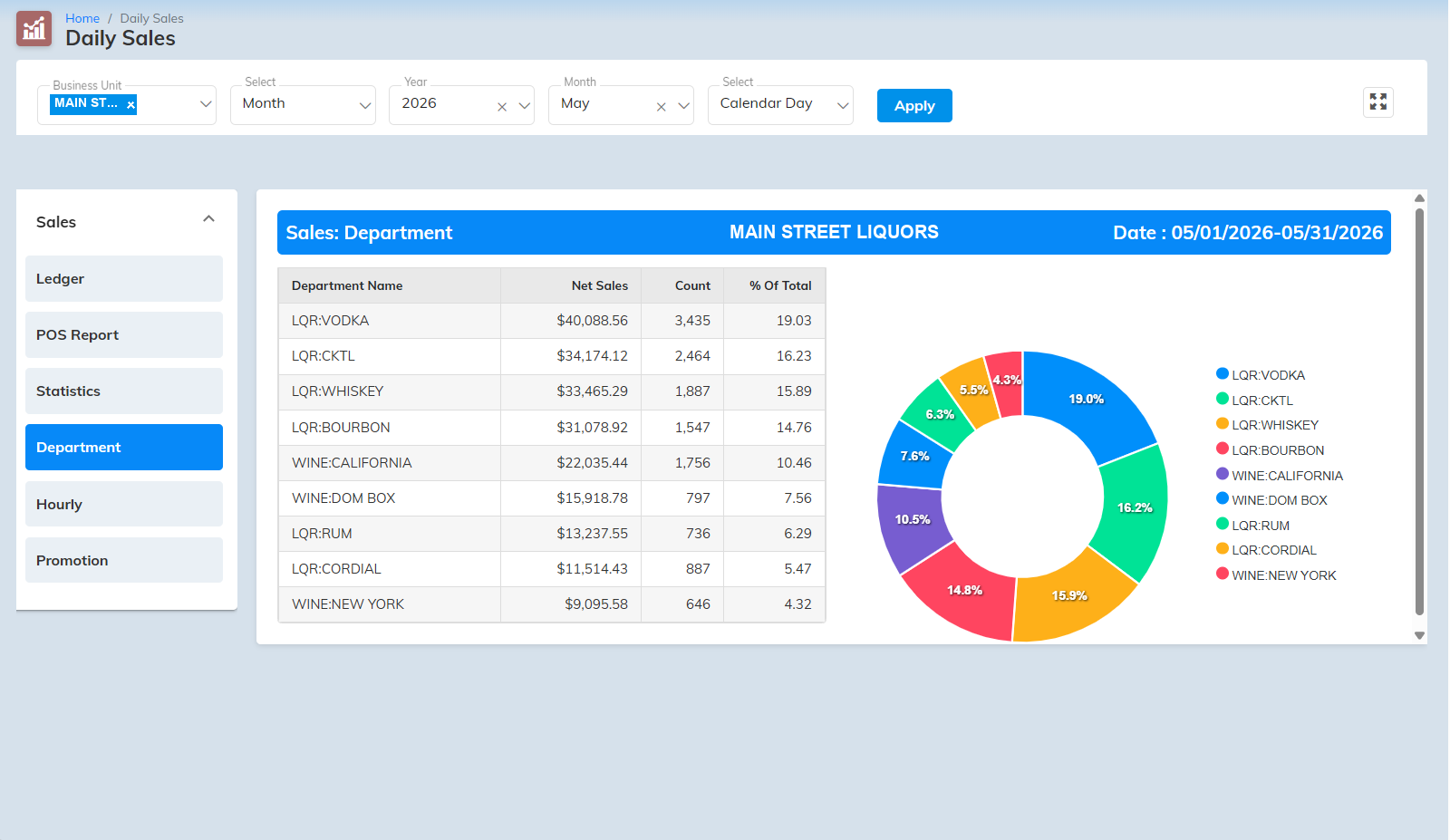
Insight Cloud Back Office Reporting — data grids and dashboard
Real-time

The store, as it happens.

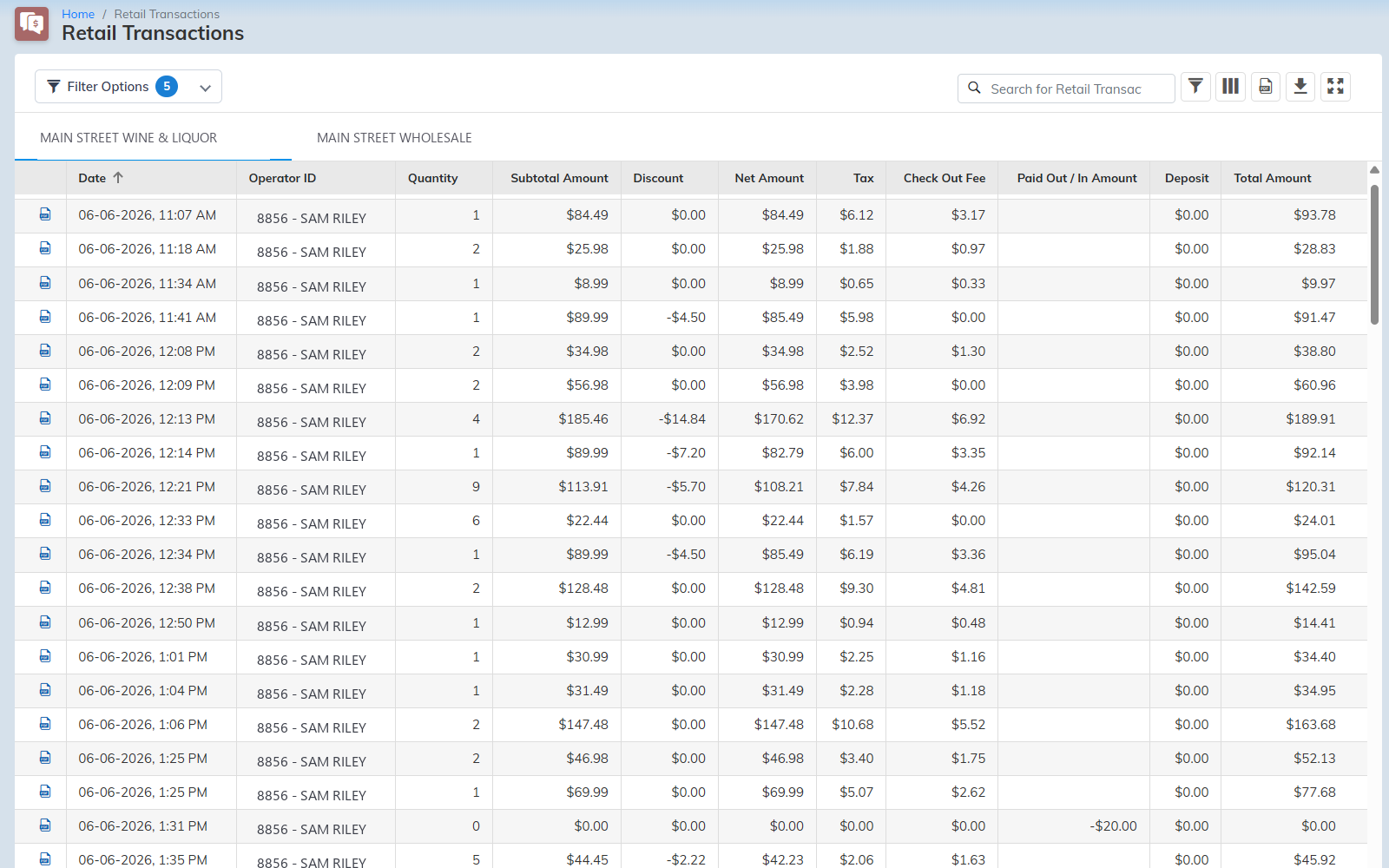
Live retail transactions — retail and wholesale
Live transaction viewer
Every sale posts the moment it rings — across retail and wholesale, not yesterday's numbers.
Data grids, instant answers
Any report as a live grid that answers immediately — no more waiting for a report to generate. The V4 leap.
Retail and wholesale, one system
Run both sides of the business and switch between them with a tap — the same reporting across each.
Every line, every operator
Subtotal, discount, tax, deposit, and total — itemized per transaction and per operator.
The report library

Depth when you need it.

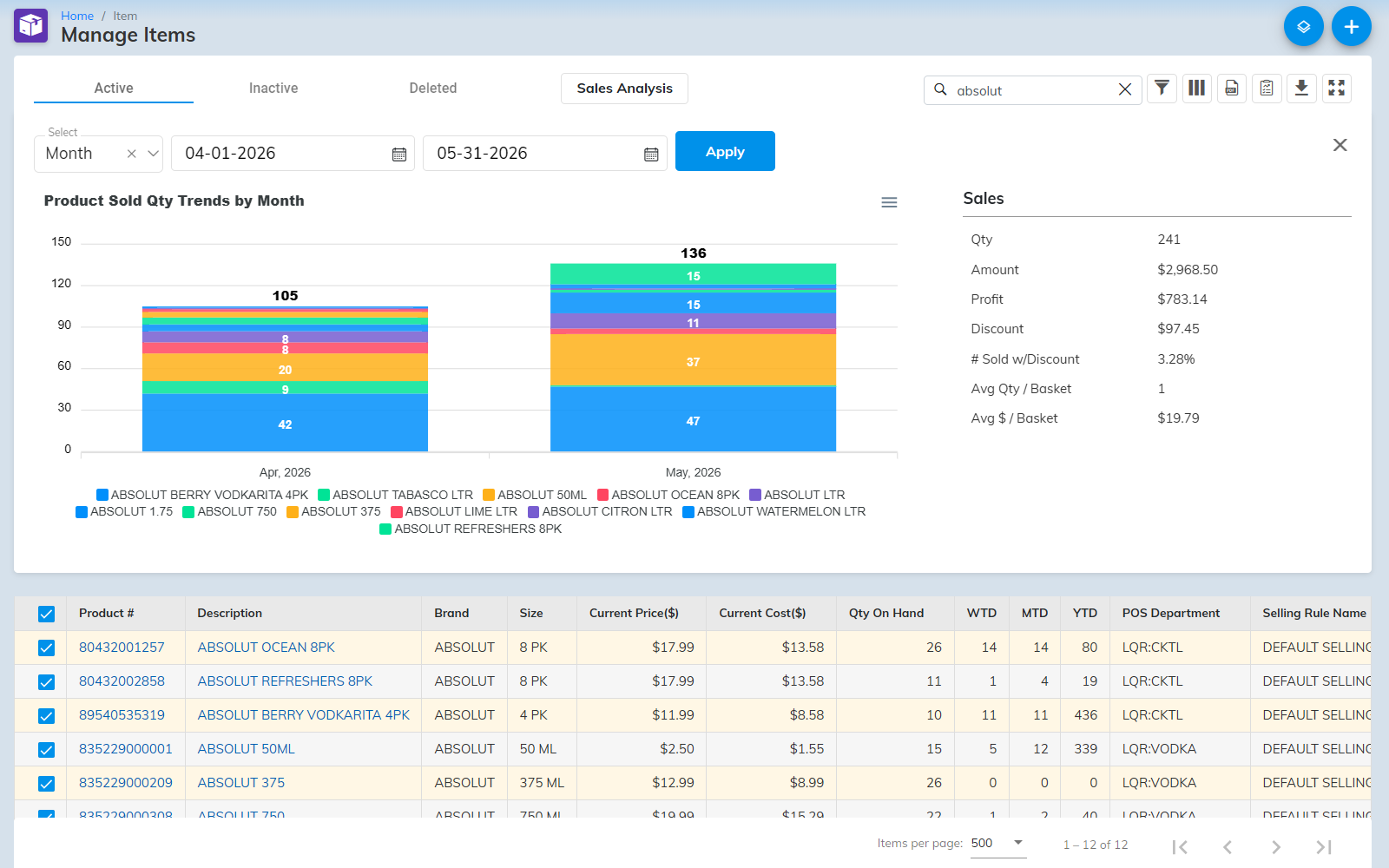
Report library — item sales history
Daily Sales
Item Sales
Item Inventory
Retail Transactions
Price Change History
Time Punch
Three reporting periods

Reconcile against the day you
actually run — not the clock.

Most POS report one period: midnight to midnight — useless the moment a shift crosses midnight or a card batch settles after the session closed. Insight keeps three periods running at once, each with its own complete set of totals — so cash reconciles to the session and cards reconcile to the bank. It saves the hours of manual reconciliation, and catches the short drawer or light deposit that's how theft and simple inattention show up.

  • Calendar Day
    12:00 AM to 11:59 PM on a single date — the simple default.
  • Business Day
    A window you define that can span midnight, so a 10 PM–2 AM shift reconciles against one continuous business day instead of being split across two dates. Essential for late-night and 24/7 floors.
  • Credit Card Day
    Aligned to how your processor actually settles. A session often closes before the bank settles that day's card batch — this matches your reported card sales to the deposit the bank really made. The hardest number in retail to tie out.
Reporting options

Slice it any way you run the store.

  • Date range, your way
    Any custom range or convenient presets (today, yesterday, this week). Save commonly used ranges and full report settings for reuse.
  • Store consolidation
    Individual, comparison, or consolidated views across stores and store groups.
  • Sort, group, and total
    Sort on most fields ascending or descending; group on many fields with show/hide summary and detail.
  • View, print, or export
    On screen, to paper, or out to Excel and PDF.

See everything.
Buy it online.

Pricing is on the website.

Buy Back to Cloud Back Office

Or call us — (518) 633-4111. Cristal answers.