Cloud Back Office

Cloud Back Office · Price Book

Control every price.
Across every store.

Studies show price control alone can lift profit 4%+ by cutting mistakes. The Price Book gives you that control — a powerful database, multi-store pricing, automatic margins, Group Change across thousands of items, and promotions, all from one place.
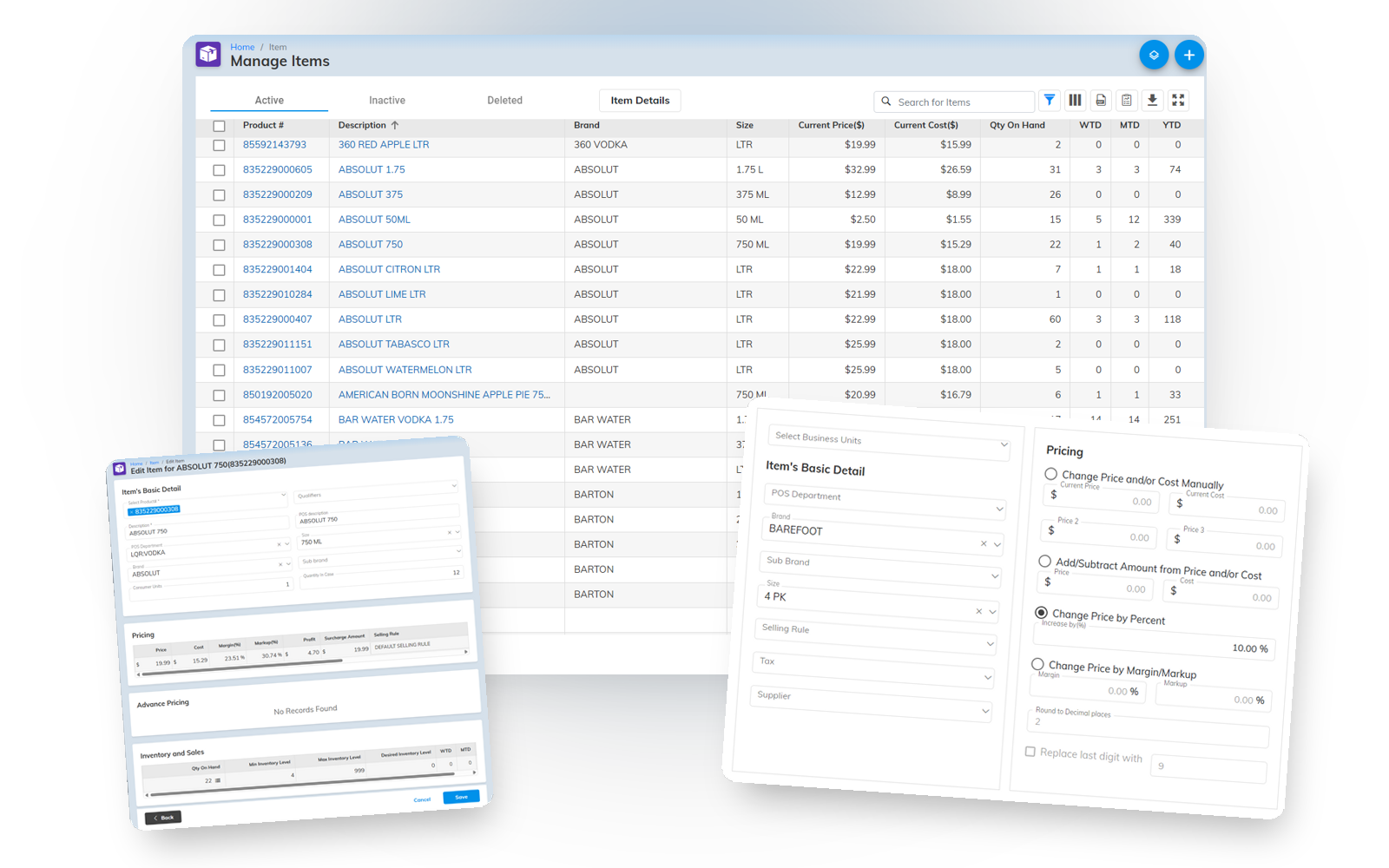
Insight Cloud Back Office Price Book editor
A powerful database

Built on the standard the enterprise runs on.

The Price Book was built on the National Retail Federation's ARTS data model — the same standard Microsoft, NCR, IBM, and Fujitsu helped build. It gives you the depth to define an item properly and use that depth everywhere: filters, lookups, reports, and the analytics dashboard.

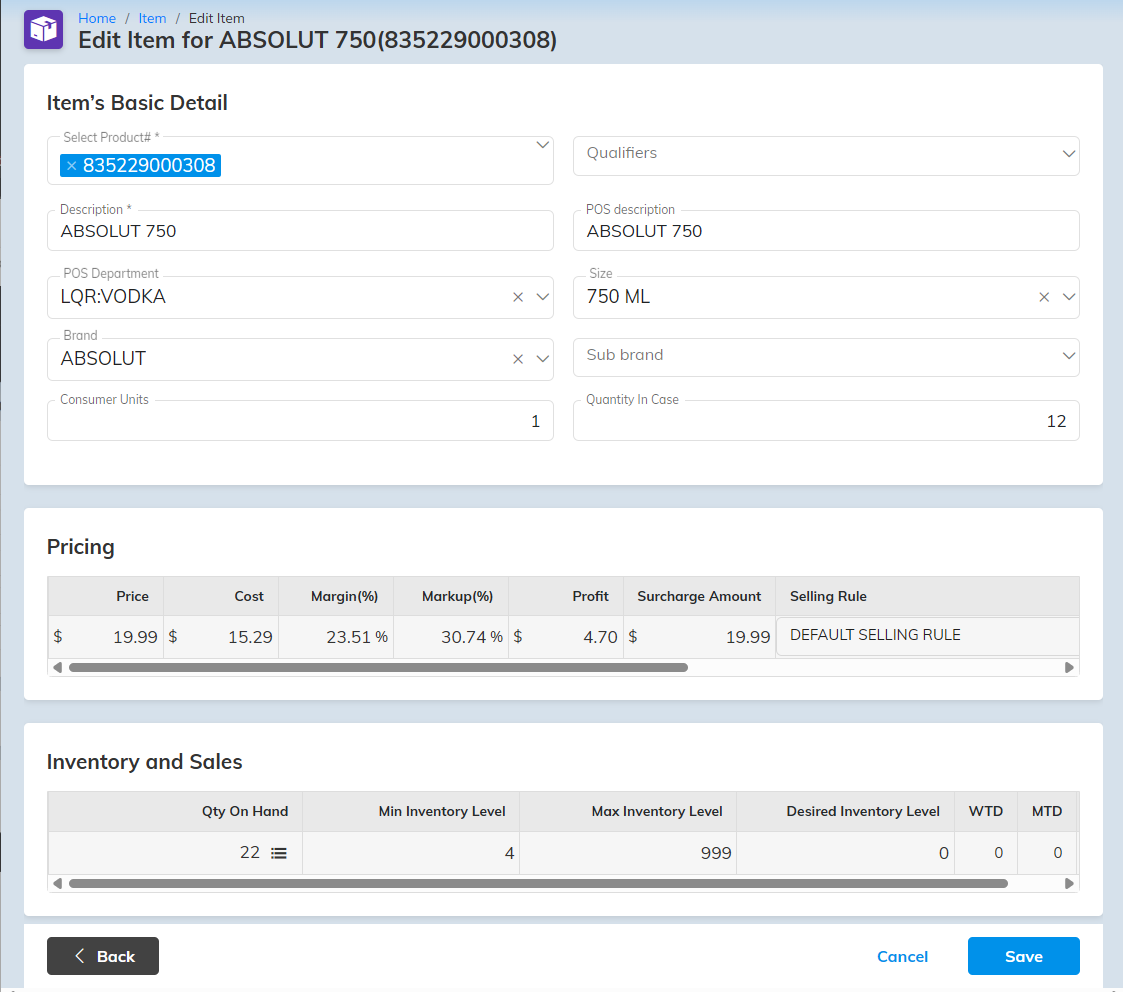
Item record — fields, ARTS hierarchy
Hundreds of fields, used selectively
Everything you need to define an item — used or ignored. Depth when the operator needs it, invisible when they don't.
Merchandise hierarchies + NACS
Prebuilt hierarchies for liquor, wine, and beverage (USA → Napa Valley → producer), NACS codes for c-store, and unlimited custom hierarchies. Analyze sales by any of them.
Alternate PLUs + multiple vendors
Unlimited secondary PLUs per item, and a different vendor per store on the same product — each with its own reorder number.
Proper price controls

Set it once. It does the math.

  • Margin and markup, both ways
    Set price and cost and it calculates your margin/markup — or set the margin and it calculates the price from cost.
  • Change prices the right way
    Change prices, print shelf labels, then update the POS — in that order — so the shelf and the register always agree and you never surprise a customer.
  • Repackaging & kits
    Selling a child unit automatically reduces the parent on hand — cigarettes, beer, soda, gift baskets. Exact counts, every time.
  • Clone Item
    Adding the hot new soda with ten flavors? Enter the first, then Copy Values / Paste Values to stamp out the rest. Hours of retyping, gone.
Group Change & power tools

Change thousands of items in one operation.

The back office isn't a stack of forms — it's a power-user grid. See thousands of items at once, filter to exactly what you want, save the view, and change them all in a single pass.

Group Change — multi-select filter
Group Change across thousands of SKUs
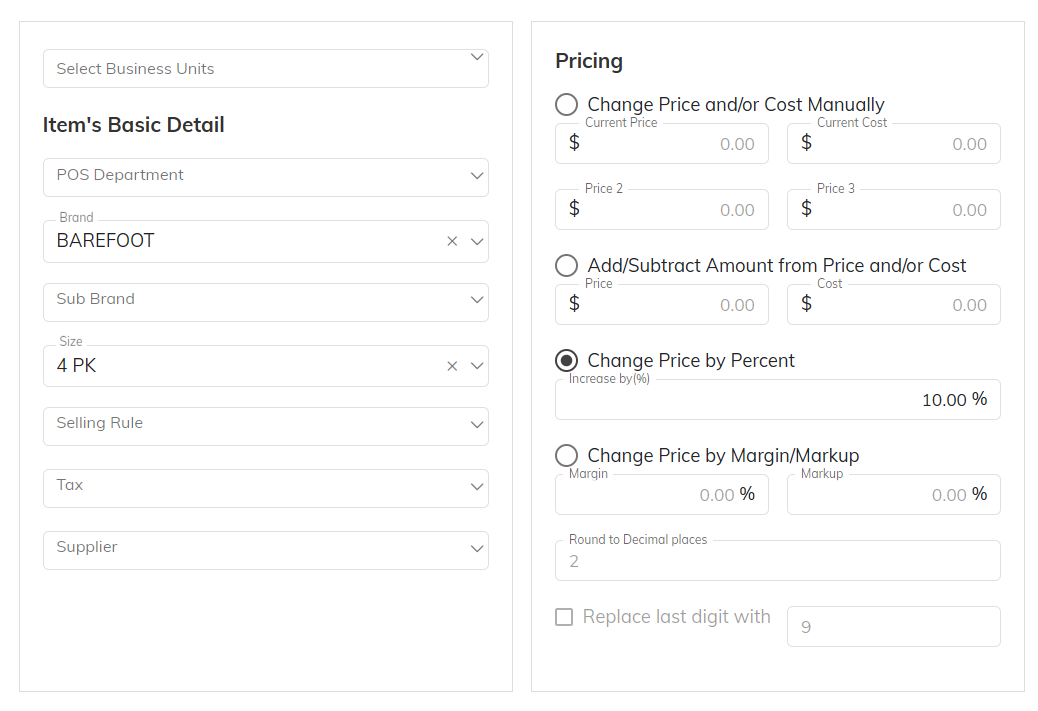
Set a price, add a dollar amount or a percent, or set to a target margin/markup — plus brand, size, reorder levels, and user-defined fields — for a whole filtered group at once.
Powerful Filters, used everywhere
The filter tool is everywhere — items, Group Change, promotions, reports, orders, labels, and more. Filter on brand, size, POS department, price, cost, you name it. Best of all: you can save them for future use, everywhere.
Grids that scale
See up to 3,000 items at a time; type anything to filter (a 6-digit UPC auto-expands to the right item); save column sets for checking stock, setting prices, or printing labels.
Promotions

Promotions that run themselves.

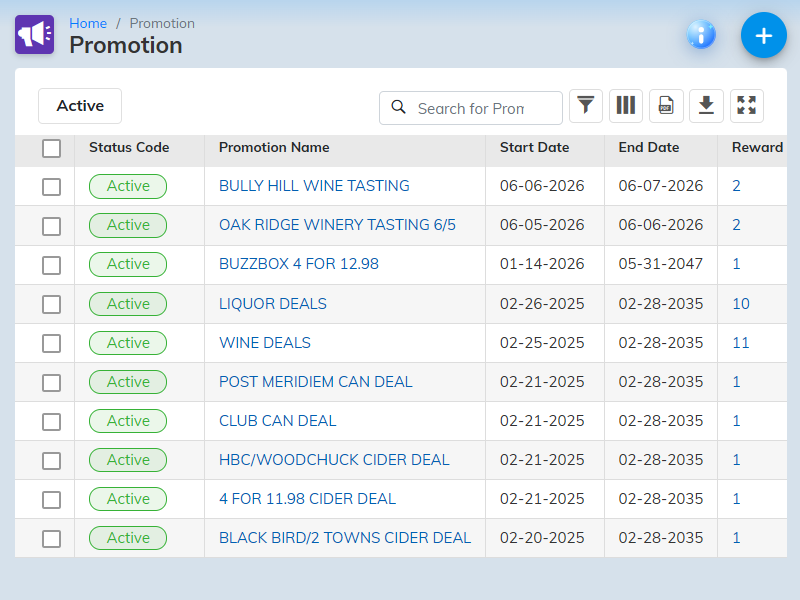
Promotions — per-store pricing and dates
  • Per-store, or all at once
    Build a promotion for one store, several, or a group — and give each item a different price per store. Add whole groups of items at once with the filter tool.
  • Automatic start and end
    Promotions begin and end on the date and time you set. Regular prices can change while a promo is live, with no conflict.
  • Priced your way
    Enter promo prices by hand or calculate them by margin, markup, or any percentage — then round the last digit to a retail number like 5 or 9 automatically.
One catalog, every hierarchy

Not one hierarchy.
As many as you merchandise by.

On the NRF ARTS model the same item rolls up several ways at once — a separate hierarchy for each job. You name the levels and their order, reshape what ships, or build your own. Reporting, planning, and tax each get their own tree off the same item.

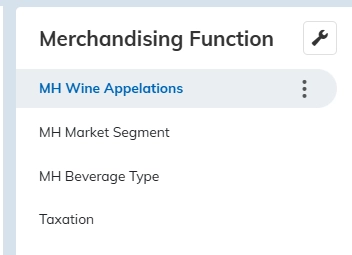
Merchandising Function menu in the Insight back office — MH Wine Appellations, MH Market Segment, MH Beverage Type, and Taxation
You define a hierarchy for every way you merchandise — reporting, planning, tax. Four ship loaded; reshape them or build your own.
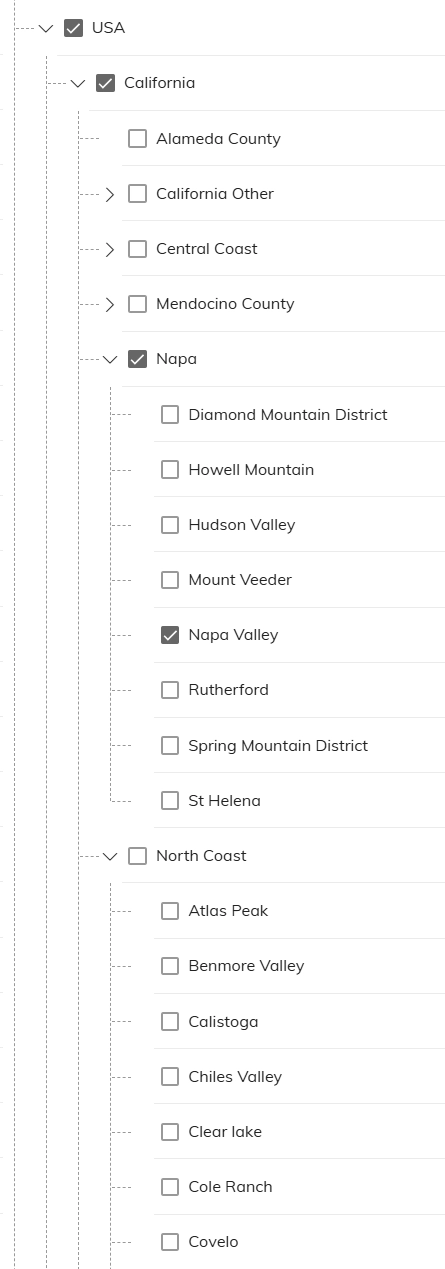
Wine Appellations hierarchy — USA, California, Napa, Napa Valley, Rutherford and more
Wine AppellationsUSA → California → Napa → Napa Valley
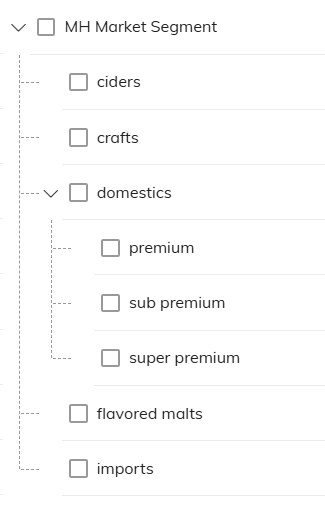
Market Segment hierarchy — ciders, crafts, domestics (premium / sub premium / super premium), imports
Market Segmentdomestics → premium / sub / super premium
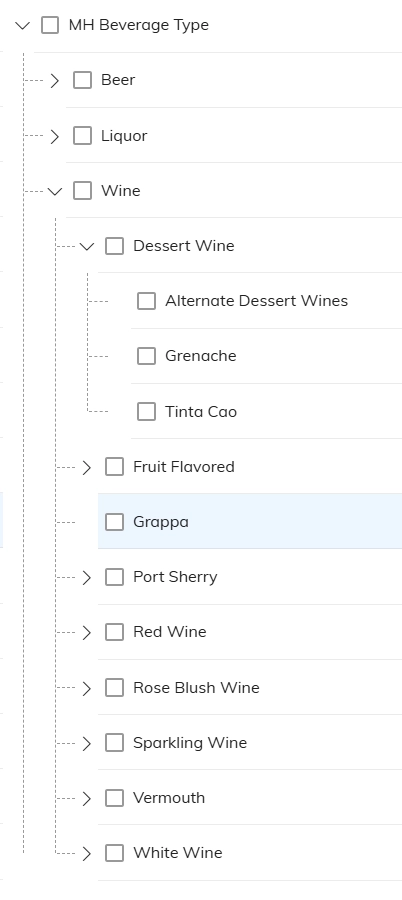
Beverage Type hierarchy — beer, liquor, wine (dessert, red, sparkling and more)
Beverage Typewine → dessert / red / sparkling

Three of the hierarchies that ship loaded — Wine Appellations, Market Segment, Beverage Type — plus Taxation. All editable. All yours.

See everything.
Buy it online.

Pricing is on the website.

Buy How EDI feeds the Price Book Back to Cloud Back Office

Or call us — (518) 633-4111. Cristal answers.